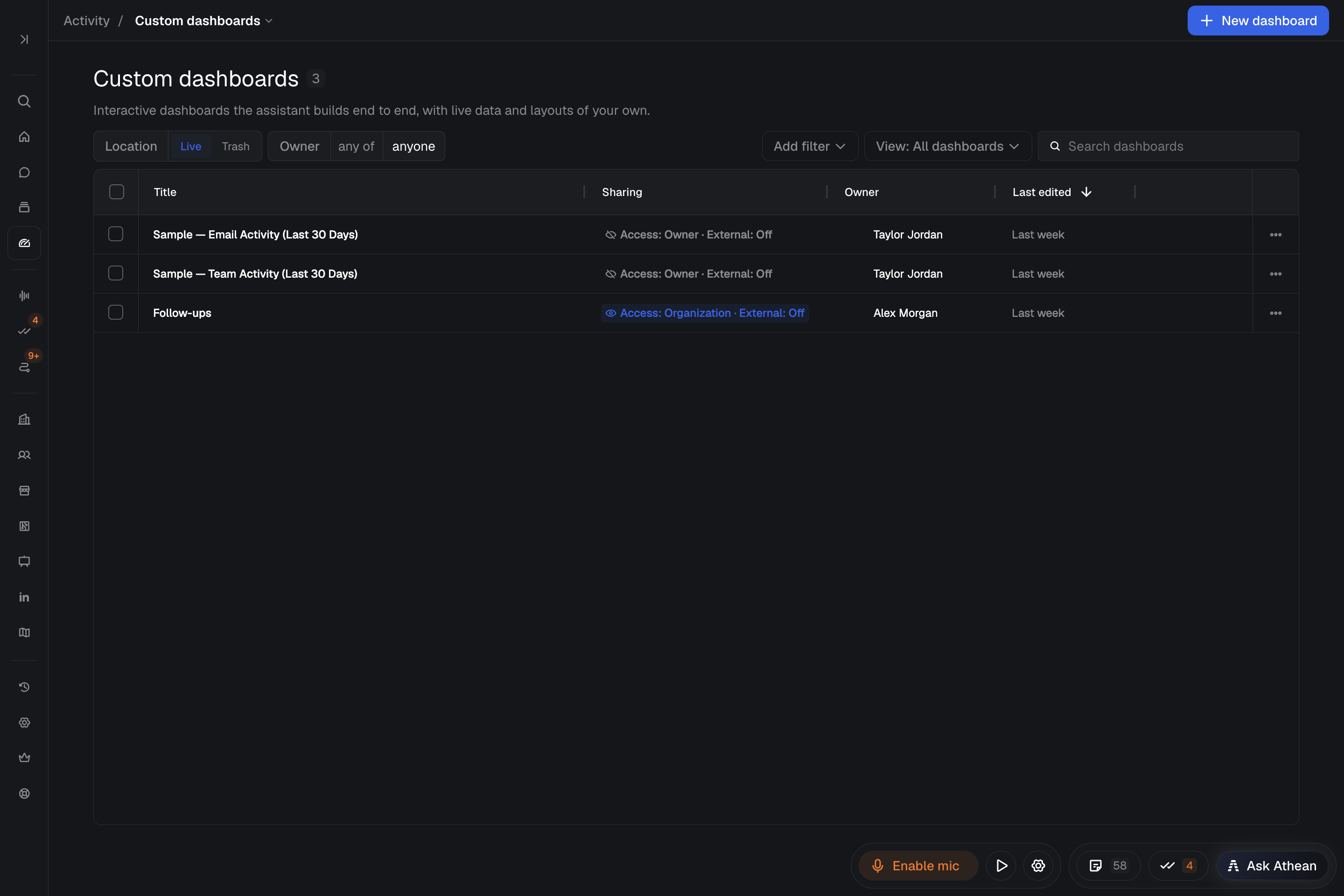
Create a custom dashboard
Workspace → Activity → Custom dashboards holds interactive dashboards that Athean builds from your description, with live data, charts, tables, and filters. For the built-in reporting views, see Dashboards.
- Open Custom dashboards and select New dashboard.
- Start from Rep leaderboard, Call outcomes board, or Sequence task tracker, or describe the audience, data, time window, and question the dashboard should answer.
- Name the controls you need, such as a date filter, a sortable table, or a chart that reveals more detail.
- Send your request. The dashboard appears beside the chat as Athean builds it.
Example dashboard prompt
Build a dashboard for our weekly team review. Show calls, emails, and meetings by rep for this quarter, with a sortable table and a chart of the top 10. Add a date filter. Explain the data sources and how each metric is calculated.
Describe the decision the dashboard should support as well as the numbers, for example which accounts need attention or where tasks are piling up.
The data available depends on your connected systems and access. A dashboard can also read data from another service's API through an API secret; see API secrets. To bring in another platform or internal source, see Integrate more platforms.
Verify calculations, refine widgets, and refresh data
- Explain this dashboard: asks Athean to describe what the dashboard shows, where its data comes from, and how its charts, tables, filters, and interactions work, without changing anything. Compare a few results with the underlying records before you rely on a new dashboard.
- Change the dashboard: when you can edit it, use Change metrics or layout, Add a filter, or Fix an interaction, or describe the change in the chat. Name the part you want changed and the result you expect.
- Refresh data: Data as of shows when the data was fetched. Select Refresh to fetch it again. If Athean reports that the refresh was partial, some content or permissions may still be out of date; refresh again before you rely on the results.
With view access only, you can explore a dashboard and ask about it, for example with Understand the metrics or Show me how to use it, without changing it. Editing and management actions depend on your permissions.
Embed a custom dashboard on Home or Account pages
Add a custom dashboard as a block on a Home or account page tab to keep it beside your daily work:
- Open Workspace → Home or an account, and select Edit layout on a tab you can edit. The standard Home tab and tabs managed by your organization can't take new blocks, so make a personal copy first with Duplicate tab to customize. For Home, see Layout configuration.
- Select Add block, then Custom dashboard.
- Search for the dashboard by name. The list shows only dashboards you can open, with each one's owner and last update. Already on this tab marks a dashboard the tab already shows; select Load more for more results.
- Select the dashboard to add it, then arrange it like any other block. The open icon beside its title opens the full dashboard in a new browser tab.
You can also ask Athean to add a dashboard to one of your own tabs. Org admins can ask Athean to add a dashboard to another person's personal tab; if that person can't open the dashboard, Athean gives them access as part of the request, leaves everyone else's access unchanged, and tells you who received access.
Adding a dashboard to a tab yourself doesn't share it. Its access settings still apply, and anyone who can't open it sees Dashboard unavailable in its place. The same message appears if the dashboard was removed.
Your account page tabs are the same for every account you open. On an account page, the dashboard receives the account you're viewing. On Home, or when you open the dashboard on its own, there is no current account. When you build a dashboard for account pages, tell Athean it will sit on account pages and should show the account being viewed, and describe what it should show when no account is available.
Organization admins and people with configuration management access can also add a dashboard to a team's Home or account page layout; see Layout configuration.
Manage version history and trash
- Version history: open More dashboard actions → Version history. Select Save current version to keep a checkpoint before a substantial change, or select Restore on an earlier version to return to it. Restoring saves the current version first.
- Rename or Duplicate: use More dashboard actions → Rename or Duplicate.
- Trash and restore: select Move to trash to remove a dashboard from the Live library. To bring it back, switch the Location filter on Custom dashboards from Live to Trash and select Restore.
These actions depend on your permissions. An action you can't use stays in the menu, disabled with the reason. Restoring a dashboard from the trash requires edit access.