
Prerequisites and permissions
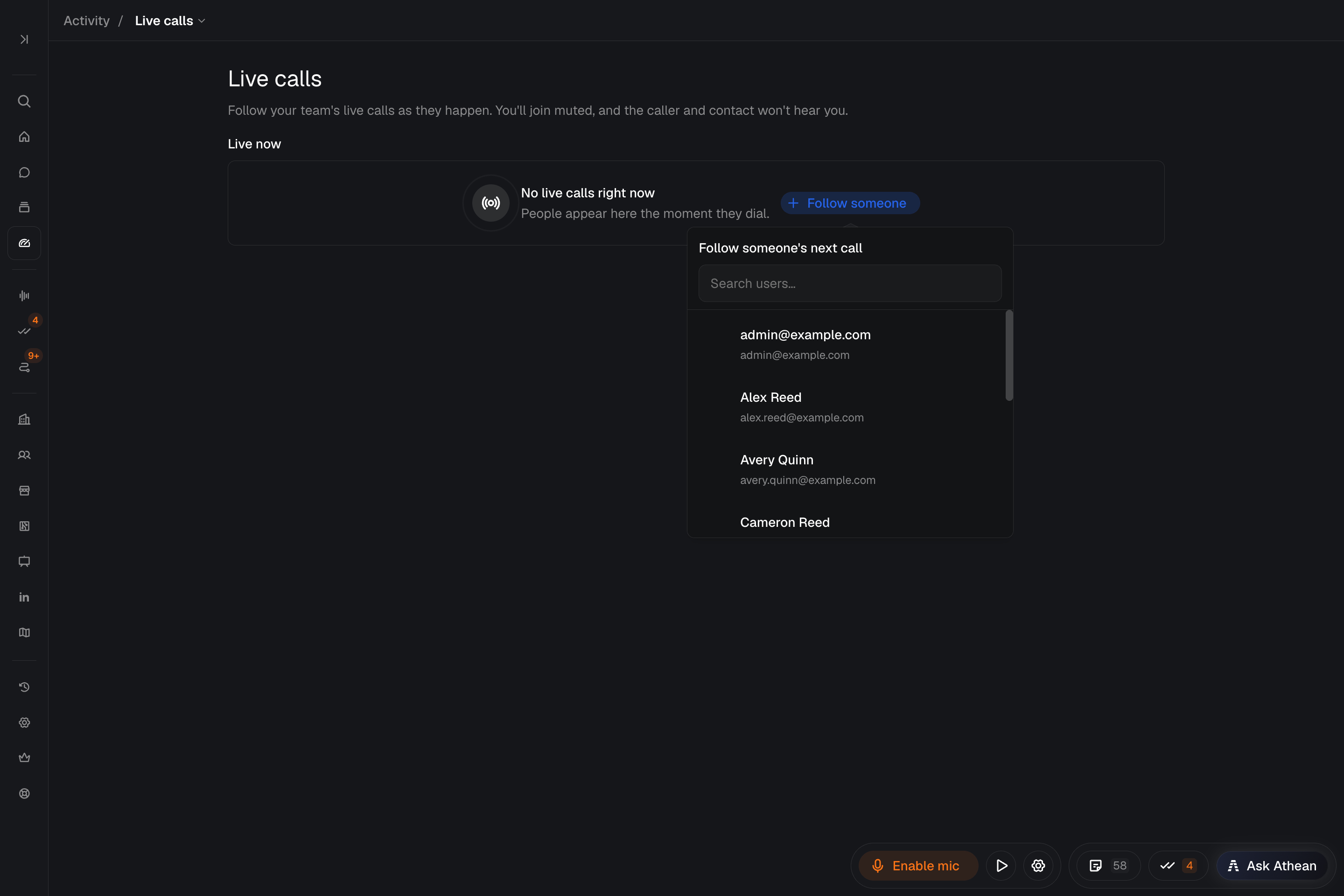
Workspace → Activity → Live calls lets you listen to teammates' live outbound Athean dialer calls.
- Access: Organization admins and users with the Live call listening permission (Listen in on any rep's live calls) can use Live calls. Administrators grant it in Org settings → Permissions; see Permissions and roles.
- Audio setup: Set your own Call mode to Athean dialer in Settings → Calls, then open the dialer once to connect your browser softphone and allow microphone and speaker access before you listen. Until then, Listen and Follow someone are unavailable.
- Listen only: You join muted. The rep and the contact can't hear you.
Listen to an active call or follow a teammate
- Open Workspace → Activity → Live calls.
- To join a call in progress, select Listen on the teammate's call.
- To follow a teammate who isn't on a call, select Follow someone and choose them.
- Watch the status: Connecting audio…, Dialing…, Connecting you…, and then Live once you've joined the call.
- Select the contact's name to see their details in the side panel. Opening the account page leaves Live calls and stops listening.
Listening starts when the contact answers. Following works only for your teammate's outbound Athean dialer calls; inbound calls aren't joined. Between calls, the status shows Between calls, and Athean joins the teammate's next outbound call automatically while you keep following them.
Switch callers or stop listening
- Switch callers: Select Switch here on another live call to follow that teammate instead.
- Stop listening: Select Stop listening when you're done. The rep's call continues.
Keep Live calls open while you listen; leaving the page ends your listening session. If the status shows Connection issue, select Stop listening, check your dialer connection, and try again.
To record and review calendar meetings, see Meetings.
Review call outcomes and follow-up activity
After listening to a call:
- Review the logged outcome, notes, and recording (if the call was recorded) in the contact's activity feed.
- If the customer needs a follow-up, create a task for that contact with a due date and notes (see Tasks).
- Review the rep's call activity and outcomes over time in Workspace → Activity → Dashboards (see Dashboards).