
Connect Google, Microsoft, and LinkedIn
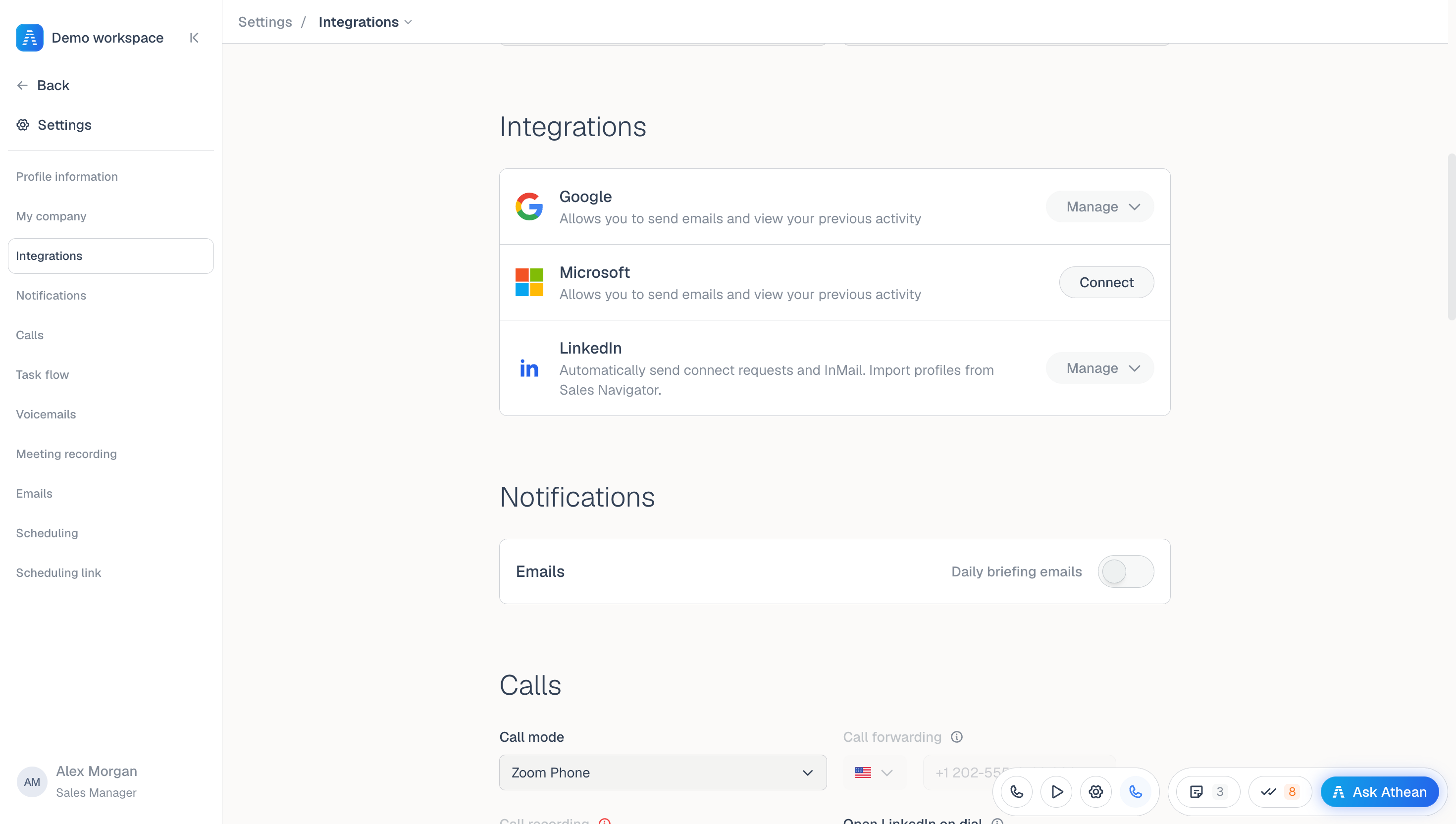
- Open Settings → Integrations.
- On the Google or Microsoft row, select Connect, sign in with your work account, and approve the email and calendar permissions.
- On the LinkedIn row, select Connect and follow the guided setup, including the Chrome extension when prompted.
- Check each row. A connected row shows Manage; for Google and Microsoft it offers Reconnect and Disconnect.
If LinkedIn shows Reconnect needed, select Reconnect. If it shows Status unavailable, Athean couldn't check the connection and hasn't changed it; select Retry status before assuming LinkedIn is connected.
Disconnect on either email row clears both your Google and Microsoft connections. Automatic email steps then fail, and activity history stops filling in automatically, until you reconnect.
Configure email signature, sending schedule, and booking link
- Email signature and tracking (Settings → Emails): Edit your signature, or select Sync to copy your Gmail signature (shown when Google is connected). Turn on Email tracking to track when your emails are opened, then select Save changes. Clicks on links to your organization's hosted PDF pages are tracked too; clicks on other links aren't. See Email: sending and tracking.
- Automatic sending (Settings → Scheduling): Before you enroll contacts, review Daily limit, Per-domain daily limit, Use contact time zone, Number of days to try to schedule, and Vary email send times (minutes). When your organization doesn't allow personal changes, these fields are locked and the organization's limits from Org settings → Sequence sending apply. See Sending settings and limits.
- Booking link (Settings → Scheduling link): Select Create scheduling link, choose Meeting durations (30, 45, or 60 minutes), and set Working hours, Buffer (min), Max days ahead, and Min notice (hrs). Creating a link needs a connected Google or Microsoft calendar. See Scheduling links.
Configure calling, Task flow, meeting recording, and notifications
- Calling (Settings → Calls): Choose your Call mode. With the Athean dialer, you can buy or verify up to 10 phone numbers and set your inbound voicemail greeting here. Outbound voicemail drops are recorded in Settings → Voicemails when that page is available to you. To test your microphone and speaker, open the dialer from the bar at the bottom of the screen and go to its Settings → Microphone & speaker (Athean dialer only). See Dialer and call settings.
- Task flow (Settings → Task flow): Turn on Auto-dial calls, Auto-open outreach composer, or Auto-open LinkedIn profile (needs the Chrome extension). See Task flow.
- Meeting recording (Settings → Meeting recording): Turn on Meeting recording to have Athean record your calendar meetings automatically from then on. See Meetings.
- Notifications (Settings → Notifications): Turn Daily briefing emails on or off. Briefings are sent on weekday mornings. See Notifications and daily briefings.
Reconnect disconnected accounts
If your Google, Microsoft, or LinkedIn connection expires or is disconnected, automatic steps for that channel can't run:
- Email: Each automatic email that can't send becomes a Send an email (Automatic Email Failed) task, due right away. Send the email yourself or skip the step.
- LinkedIn: Athean retries the step on a later business day. After repeated failures, it skips the step and the sequence moves on.
- Activity: New activity stops filling in automatically until you reconnect.
Reconnect in Settings → Integrations. Then check Prospecting → Tasks for failed-email tasks and Prospecting → Sequences → Active sequences for skipped steps.