
Find your way around Sequences
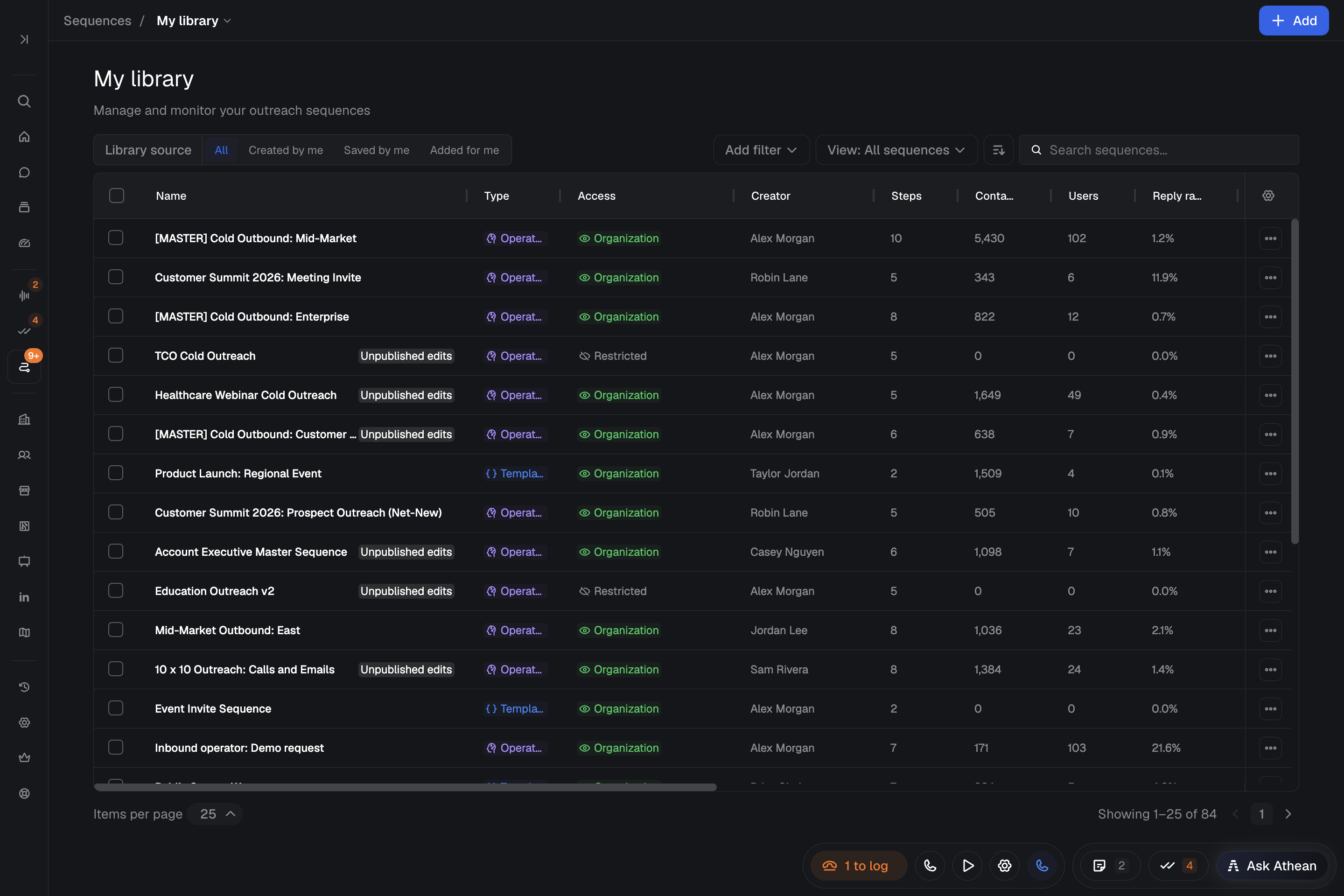
Sequences run multi-step outreach across email, calls, LinkedIn, and manual tasks. Under Prospecting → Sequences in the sidebar, Athean has these five pages (org admins also see Context, variables & guardrails):
| Page | Purpose | Detailed guide |
|---|---|---|
| My library | Create, edit, and manage sequence templates (fixed steps with variables) and operators (AI-written sequences personalized for each contact). Filter by All, Created by me, Saved by me, or Added for me. | Build sequences and operators |
| Approvals | Review, edit, and decide on operator drafts, and on outreach drafts that Chat or an agent saved for one contact. Select drafts to Approve, Reject, Regen, or Reassign them in bulk. | Approve and manage sequences |
| Active sequences | Follow enrolled contacts by status (Active, Paused, Expired, Completed, or Error), check the Scheduled load, and pause, resume, skip steps, or reassign sequences. | Approve and manage sequences |
| Snippets | Create and share reusable rich-text blocks with variables for emails and templates. | Create and use snippets |
| Content usage | See which knowledge corpus documents operators pulled into context, cited, or linked in outreach. | Knowledge corpus |
Enroll contacts into a sequence
- Select contacts in Tools → Discover, a contact list, or Signals and choose Assign sequence. Or open a sequence from My library or Marketplace and select Add contacts.
- Set the enrollment options, such as priority, completion deadline, and Cc recipients. Contacts are enrolled with you as the sender.
- Check the Review contact deliverability warnings: Active sequence, Other user's sequence, Recently sequenced (your latest sequence with the contact completed or was paused within the last 30 days), Bounce risk, No email, Email opt-out, No LinkedIn, and No phone. Warnings are advisory: select contacts and choose Ignore warnings, or use Include all N after reviewing the whole group. For an operator, a contact already in your own active sequence is excluded.
- Confirm, then read the result. Athean limits how many contacts one batch can hold; split a larger group into several batches.
A template enrollment starts the sequence right away. An operator enrollment creates drafts that wait in Prospecting → Sequences → Approvals; a draft isn't an enrollment, and nothing is sent until it is approved. When you ask Chat to assign contacts to an operator, the drafts also wait in Approvals, unless you ask Chat to approve them automatically, which starts outreach. An automation or an agent run (scheduled or Run now) can approve operator drafts on its own when its saved instructions say to, so don't assume every enrollment waits for review.
Accepting a warning doesn't remove enrollment requirements. Accepting an Email opt-out warning doesn't let Athean email an opted-out address. Email steps are skipped for contacts who can't receive email when the sequence has other channels; otherwise enrollment fails with a reason. Some contacts in a batch can succeed while others fail, so check the result before retrying.
See Approve and manage sequences for enrollment checks, approvals, and active sequence controls, and Sending settings and limits for daily sending limits.
Work manual sequence steps in Tasks
When an active sequence reaches a Call, Manual email, Manual InMail, Manual LinkedIn message, Manual connect request, or Task step, Athean creates a task in Prospecting → Tasks right away for the assigned user, due when the step's wait time ends. The sequence waits at that step until the task is completed or skipped in Task flow, the Tasks table, or the contact page.
Completing or skipping the task advances the sequence, so the next automatic step may send right away. Completing an email or LinkedIn task doesn't send its message. Deleting the sequence's current task pauses the sequence.
Track sequence results and browse Marketplace
- Performance: Open a sequence and select View full performance, or open the Sequences view of the Activity dashboard in Workspace → Activity → Dashboards, to compare open, reply, call connect, and meeting rates. See Analyze sequence performance.
- Shared sequences: Browse Tools → Marketplace for templates and operators shared in your organization, and group related sequences in Sequence lists (see Organize sequence lists).